
EvoControl Ventilation - MPO1 Display
Models: Modeller syns här inom kort.
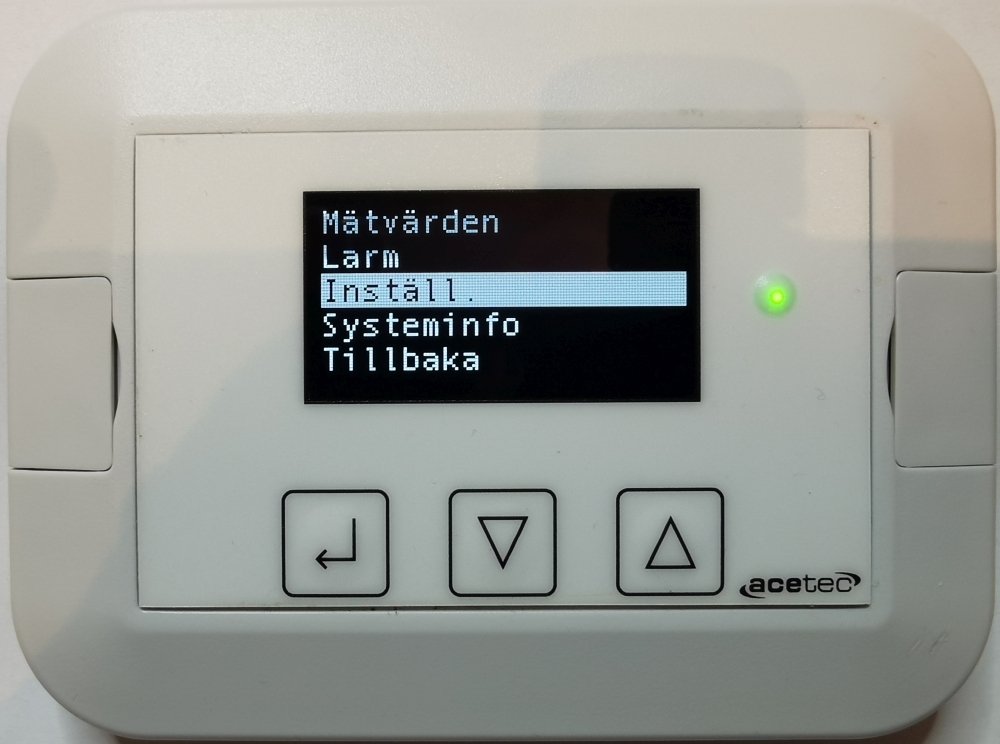
Highlight “Measurement values” and press Enter to see the current readings.
Highlight “Alarm” and press Enter to access alarm management and alarm history.
Highlight “Set” and press Enter to make settings and change parameters.
Highlight “System info” and press Enter to see system information, programme versions, etc.
Select “Back” and press Enter to return to the “Main” menu.
 Svenska Svenska
  English (UK)
 Deutsch
 Dansk
Dansk
 Norsk bokmål
 Íslenska
 Suomi
Suomi
 Eesti
Eesti
 Latviešu valoda
 Lietuvių kalba