
EvoControl Ventilation - MPO1 Display
Models: Modeller syns här inom kort.
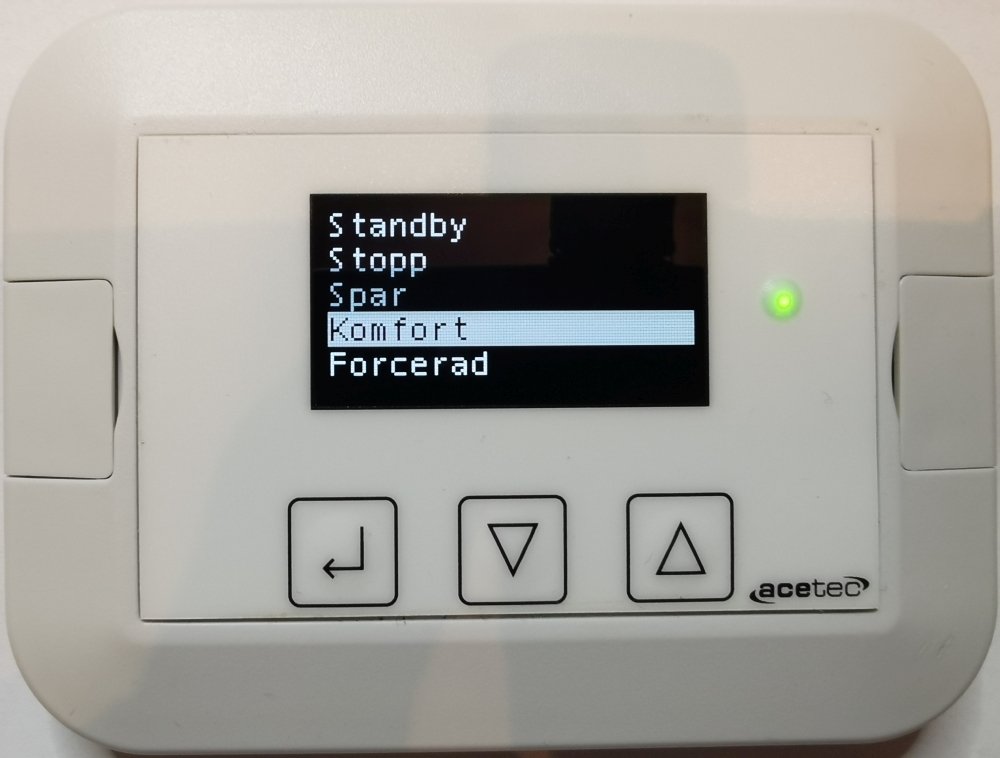
To change the operating mode, select the row and press Enter.

Select new operating mode with Up and Down Arrows and confirm with Enter.
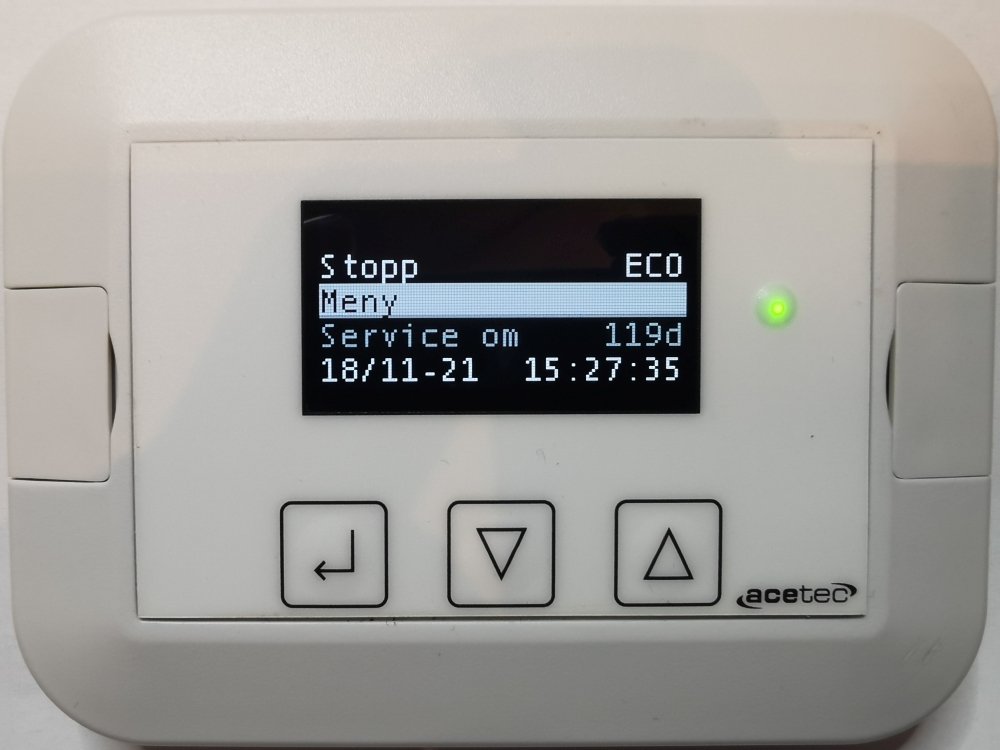
Select “Menu” and press Enter.
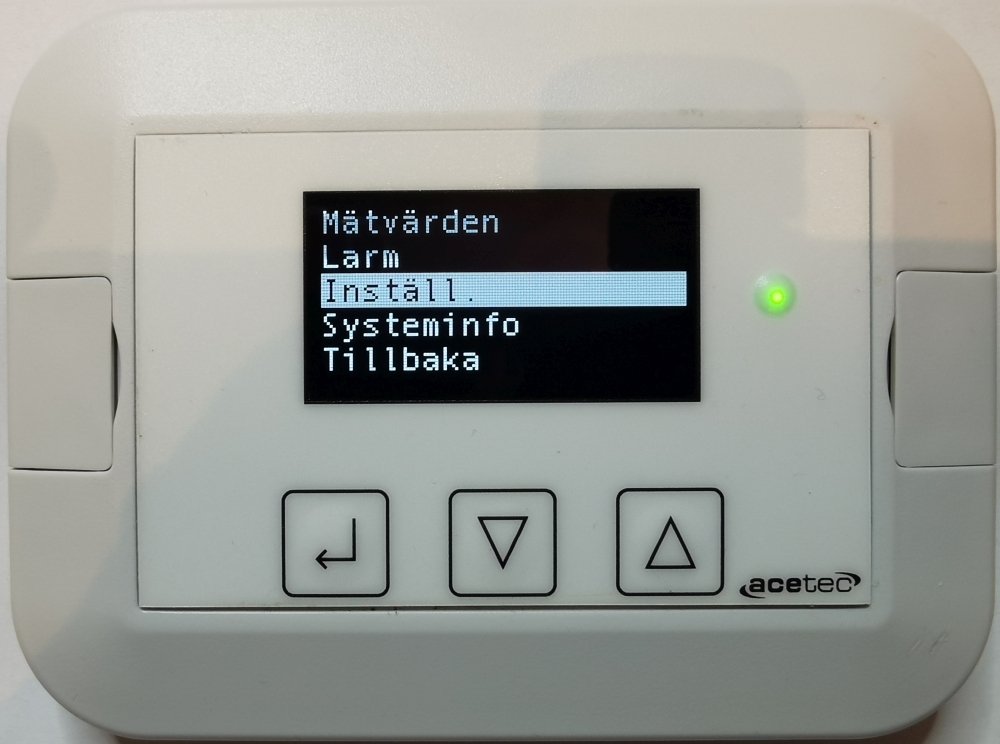
Scroll down to “Settings” and press Enter.
Enter authorisation code 6374 (8990 for advanced) and press Enter.
Dial one digit at a time, it is done with Arrow up and Down arrow and confirmed by Enter.
Confirm the dialled code by pressing Enter when “-” is selected.

Select “Fan” and press Enter.
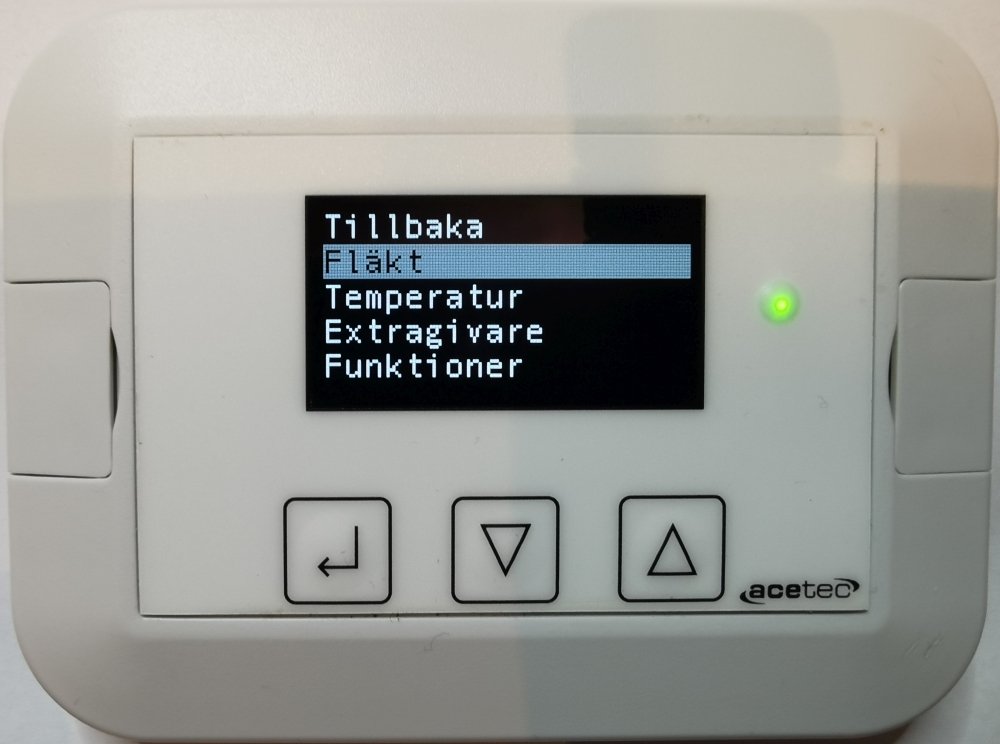
Select the flow you want to adjust and press Enter.
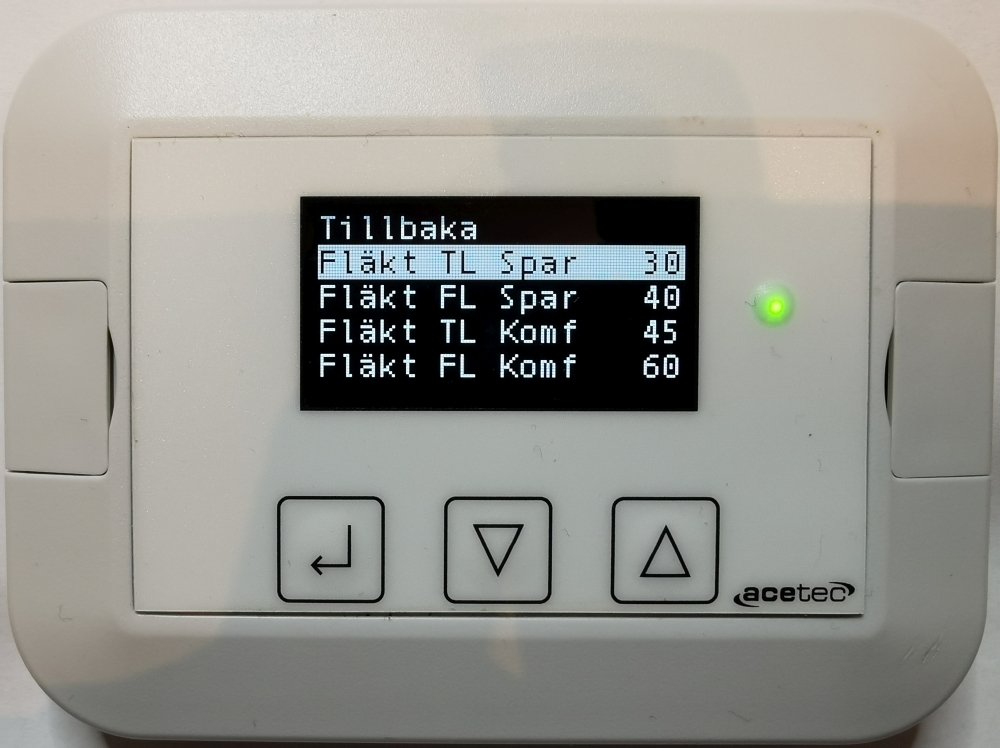
Increase or decrease the value by Arrow up or Down arrow and then press Enter.
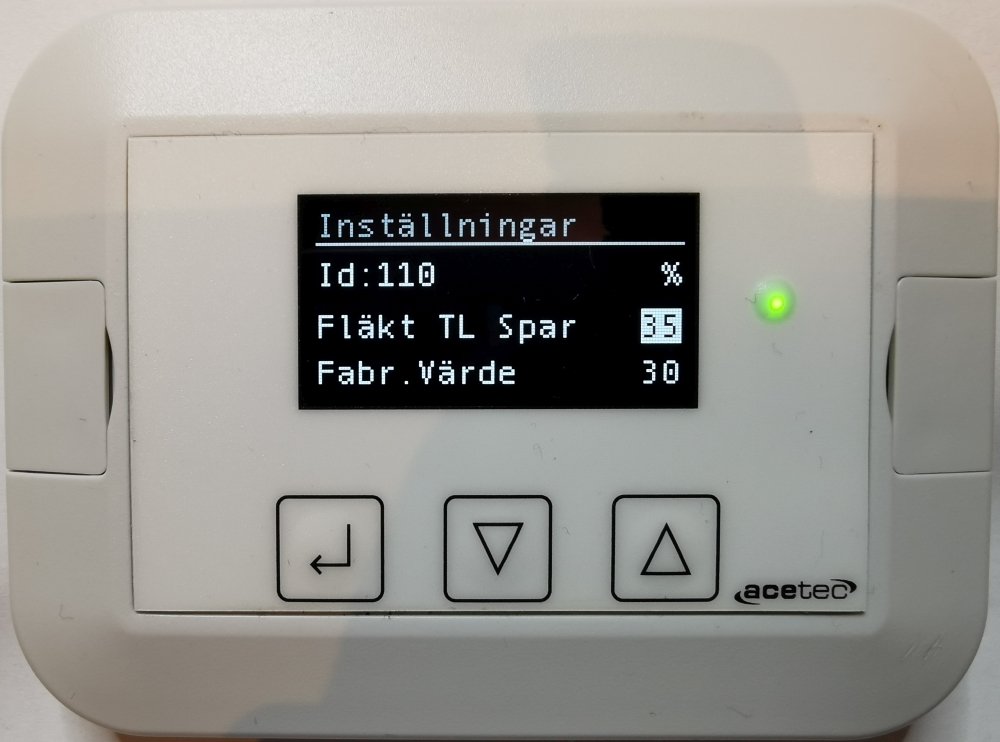
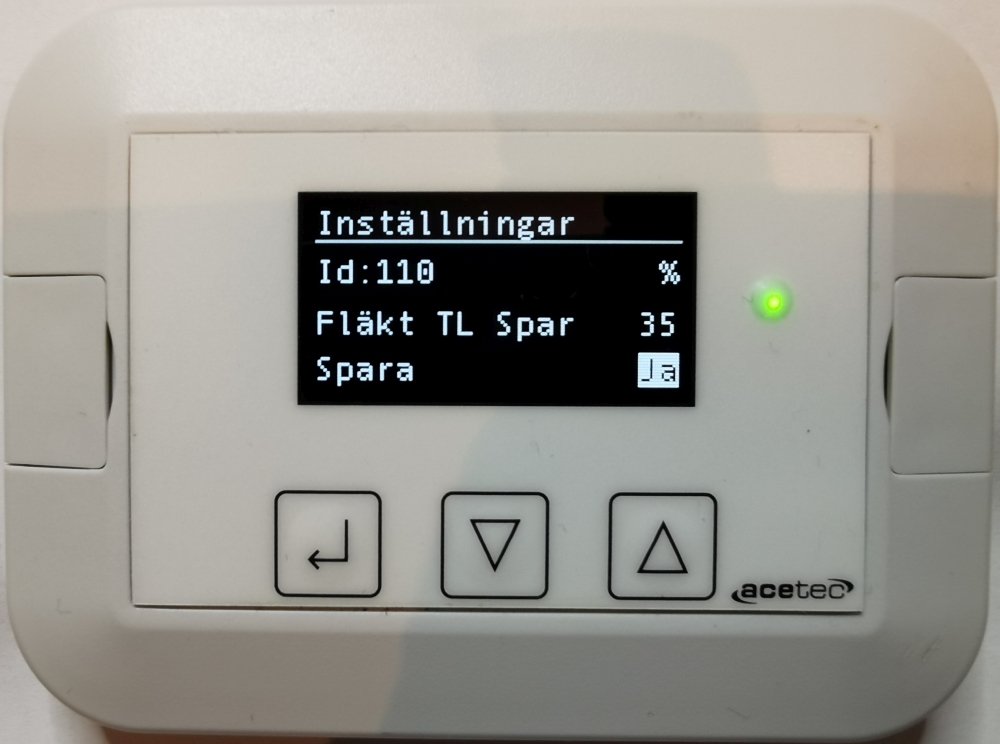
Confirm by selecting “Save = Yes” and press Enter.
A70T with cooker hood, parameter 470 “Priority order” under “Functions” may need to be changed!
A70T with cooker hood 251, “Last input” should be selected.
A70T with cooker hood 392 “Prio” should be selected.
A70T with Monolit cooker hood “Prio” should be selected.
 Svenska Svenska
  English (UK)
 Deutsch
 Dansk
Dansk
 Norsk bokmål
 Íslenska
 Suomi
Suomi
 Eesti
Eesti
 Latviešu valoda
 Lietuvių kalba