
EvoControl Ventilation - MPO1 Display
Models: A30T, A50CS, A60T, A70T
Select the “Menu” line and press Enter.
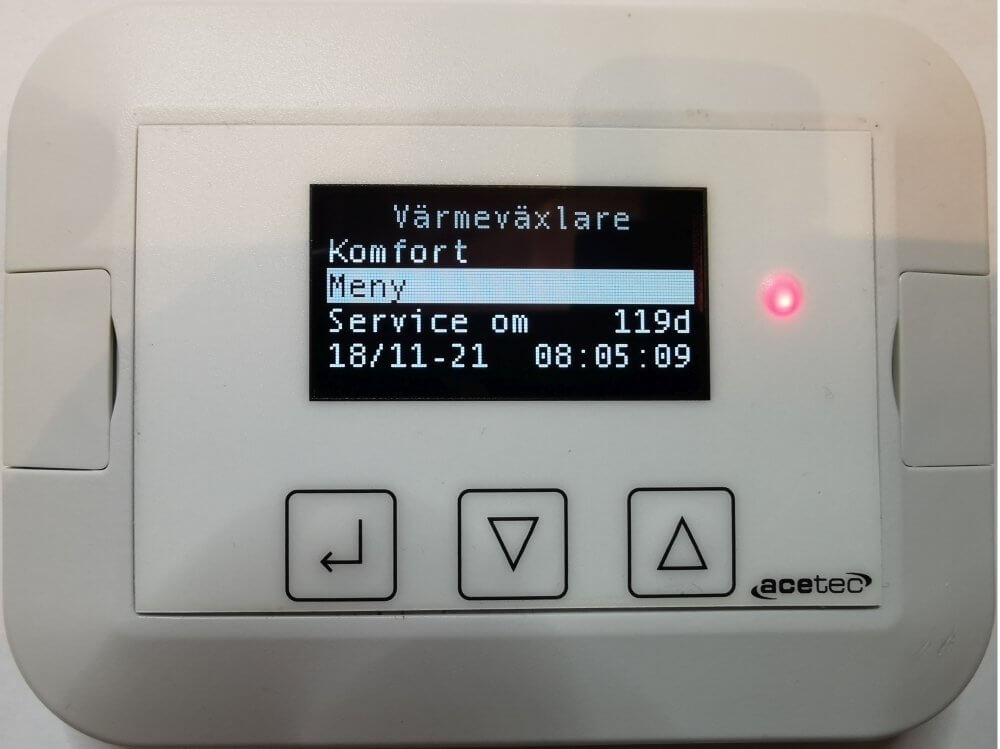
Select the line “Alarms” and press Enter.

This menu allows you to view the alarm history, acknowledge and clear the alarm history.

Select a line in the alarm list and press Enter.

This shows the time of the alarm and when it was acknowledged.
Reservation for errors or linguistic discrepancies that may have arisen during printing, translation or assisted text processing. In case of discrepancies between language versions, the original Swedish version applies. See conditions.
 Svenska Svenska
  English (UK)
 Deutsch
 Dansk
Dansk
 Norsk bokmål
 Íslenska
 Suomi
Suomi
 Eesti
Eesti
 Latviešu valoda
 Lietuvių kalba